> For the complete documentation index, see [llms.txt](https://docs.crewcost.com/llms.txt). Markdown versions of documentation pages are available by appending `.md` to page URLs; this page is available as [Markdown](https://docs.crewcost.com/documentation/work-breakdown-structure/add-a-new-cost-code.md).
# Add a New Cost Code
Cost codes help you organize and track project expenses by specific categories, such as labor, materials, or equipment. They help you manage budgets more effectively, ensuring each part of your project stays on track financially.
To add up any cost code:
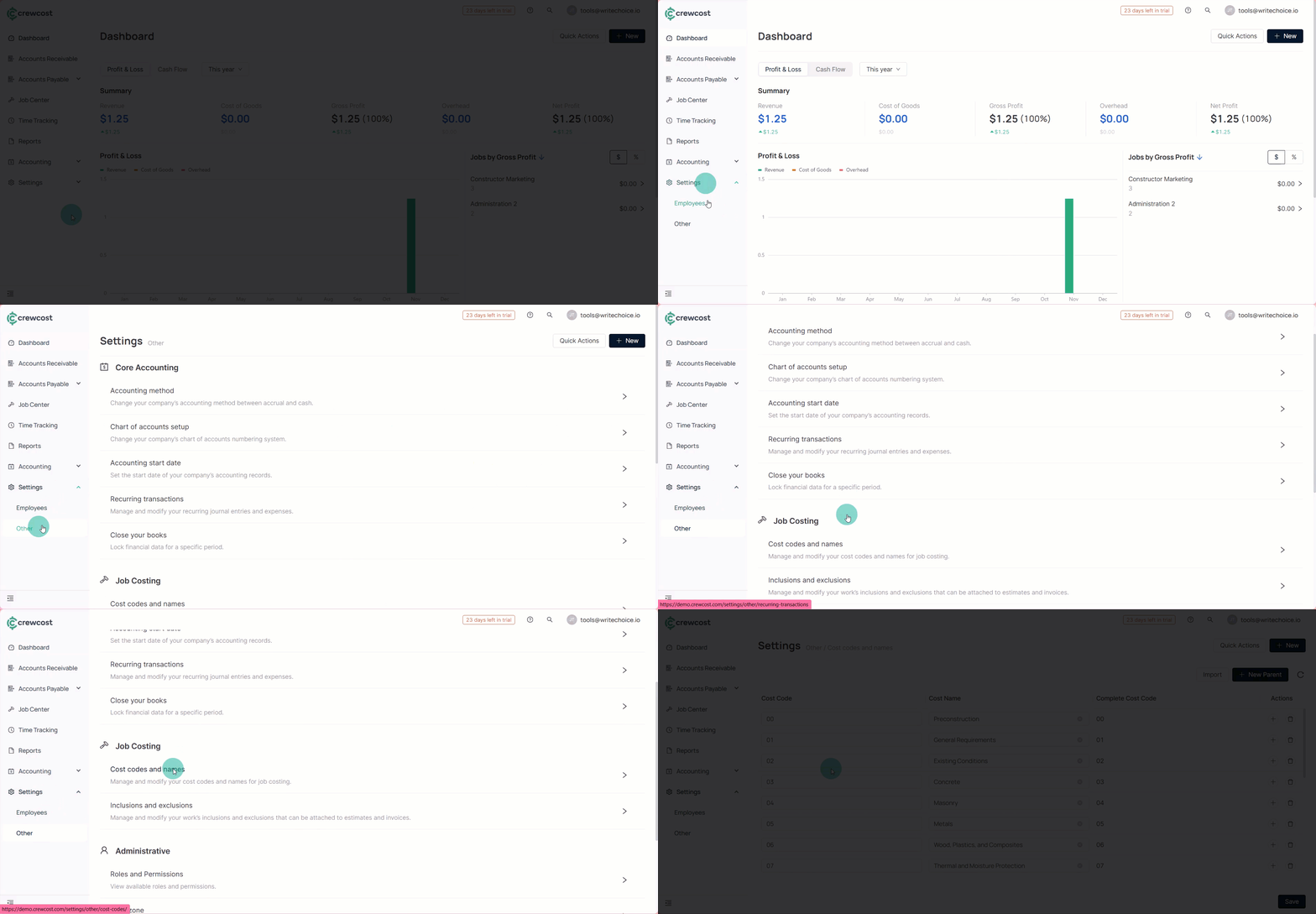
1. Navigate to **Settings > Other > Cost codes and name.**
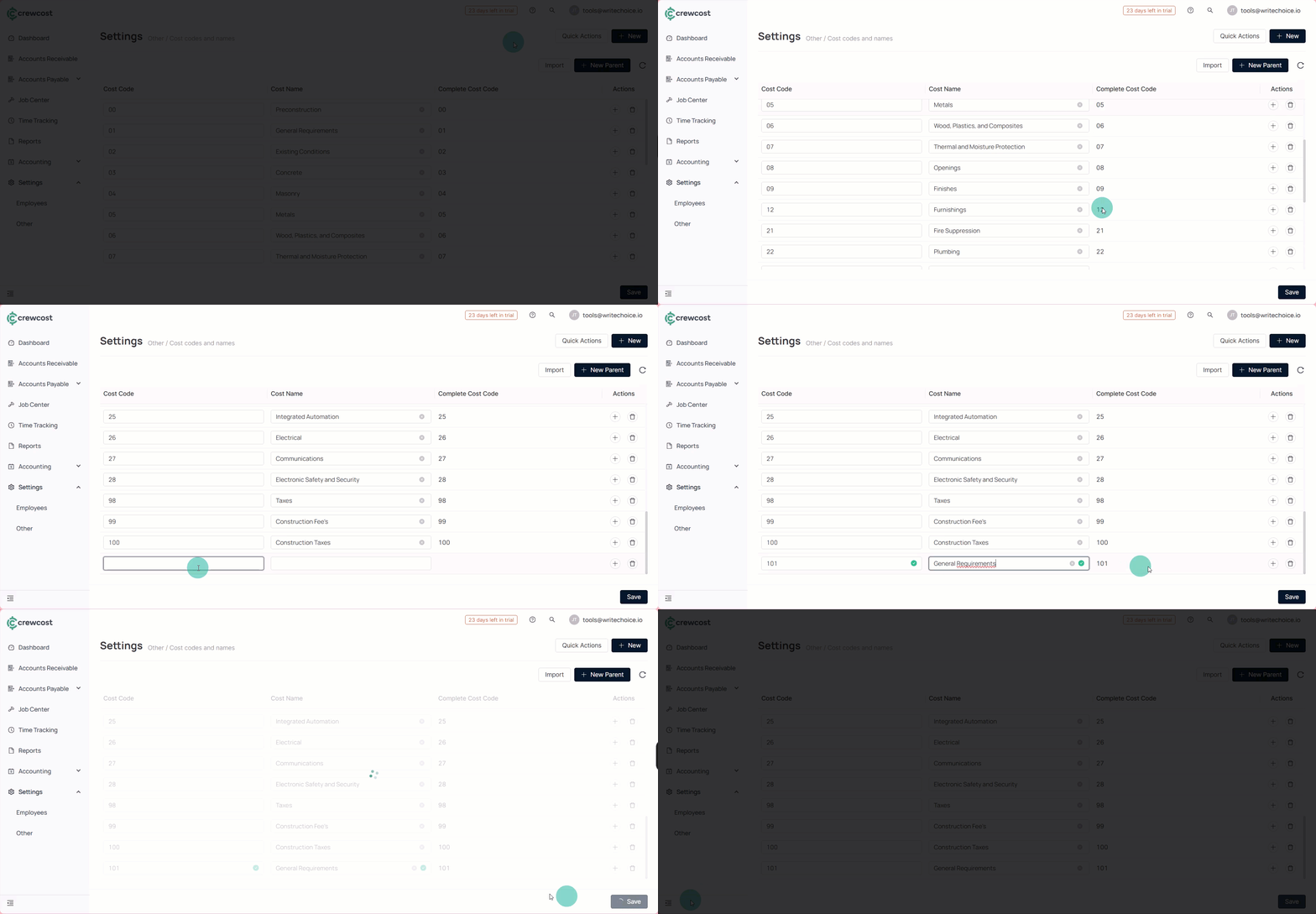
2. Select **+New Parent**. You will need to scroll down to see the blank field.
{% hint style="info" %}
**Info:** For more detailed budget tracking, you can create parent cost codes and subcategories up to three layers deep.
{% endhint %}
3. (Optional) If you need to edit any information, select the fields and rewrite them as needed.
4. Select **Save** to complete the process.
5. Return to the **Products** section and verify the cost code information.
6. (Optional) To edit an existing cost code, update the fields and click **Save**.
By creating clear and organized cost codes, you make it easier to track project spending, maintain accurate budgets, and ensure every cost is properly categorized throughout the project lifecycle.
### See also
Keep exploring our platform by taking the next step:
* [Add a Sub-Cost Code](/documentation/work-breakdown-structure/add-a-sub-cost-code.md): Learn how to create nested codes for detailed tracking.
* [Use Cost Types: ](/documentation/work-breakdown-structure/use-cost-types.md)Learn how to use cost types with Cost Codes to help you organize and track project costs in detail.