> For the complete documentation index, see [llms.txt](https://docs.crewcost.com/llms.txt). Markdown versions of documentation pages are available by appending `.md` to page URLs; this page is available as [Markdown](https://docs.crewcost.com/documentation/getting-started/dashboard-overview.md).
# Dashboard Overview
The dashboard gives you a clear overview of your company’s finances, making it easy to understand how your business is performing.
You can navigate and understand the different dashboards, then drill down into detailed reports for a closer look at specific data.
{% hint style="info" %}
**Info:** The [Core Concepts](/documentation/getting-started/core-concepts-glossary.md) section explains key financial metrics, terms, and their definitions, helping you understand some dashboard concepts.
{% endhint %}
### **Access the Dashboard**
To use and view the dashboard:
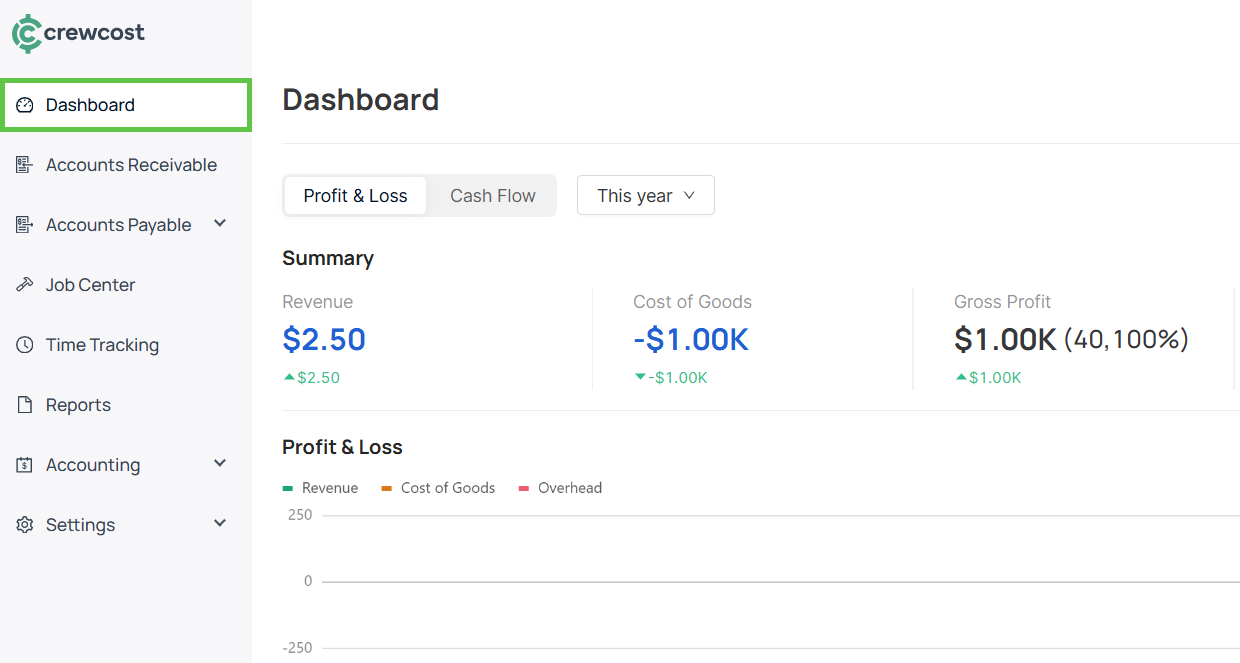
1. Select **Dashboard** from the left menu.
2. To view the Dashboard information for a specific period, choose from the following options:
* This month
* This quarter
* This year
* Last month
* Last quarter
* Last year
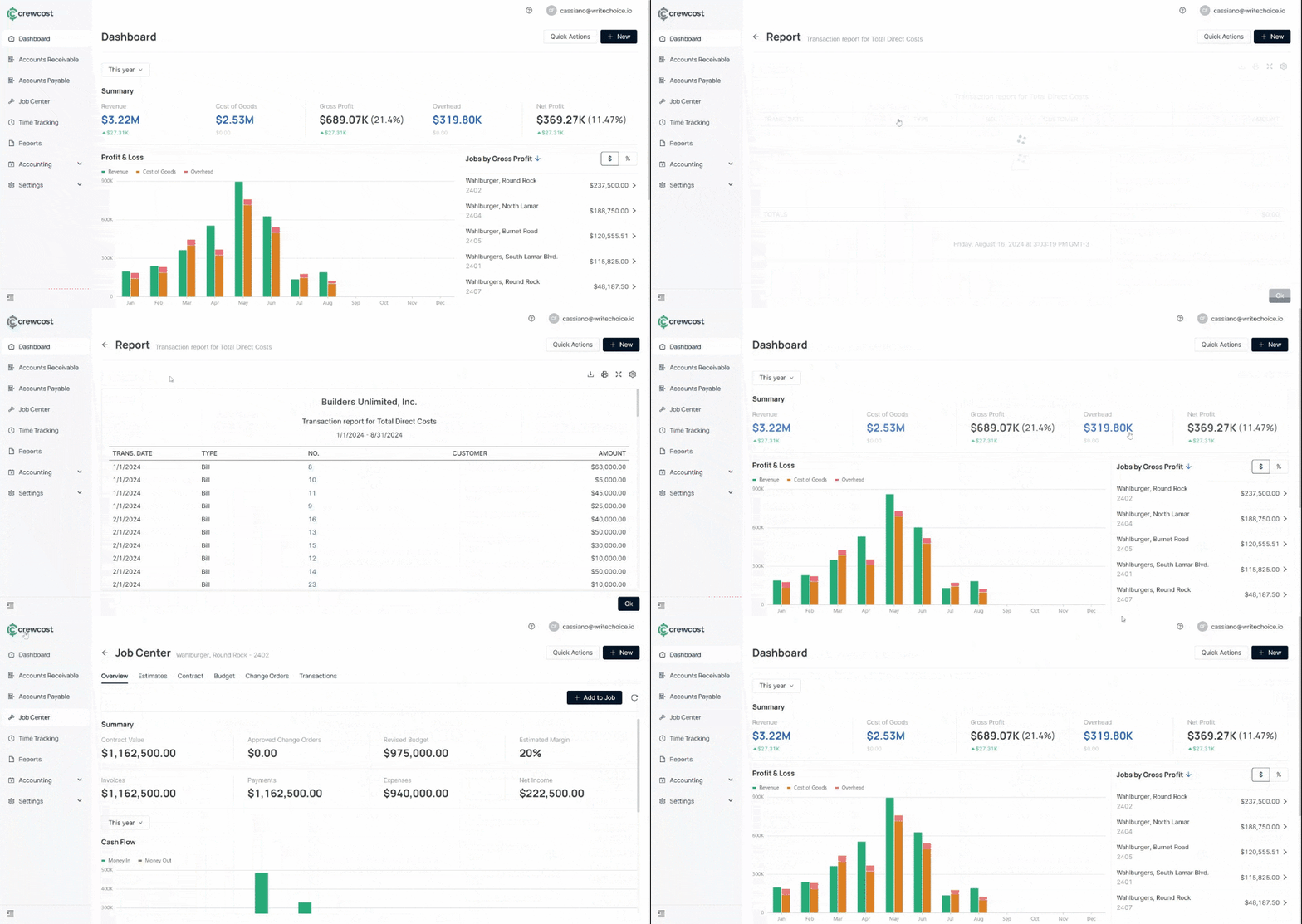
3. Click on your preferred category for the corresponding Transaction Report.
{% hint style="info" %}
**Info:** Clicking on any data point or area of the graphic will redirect you to a report or the **Job Center** page, where you can view detailed information.
{% endhint %}
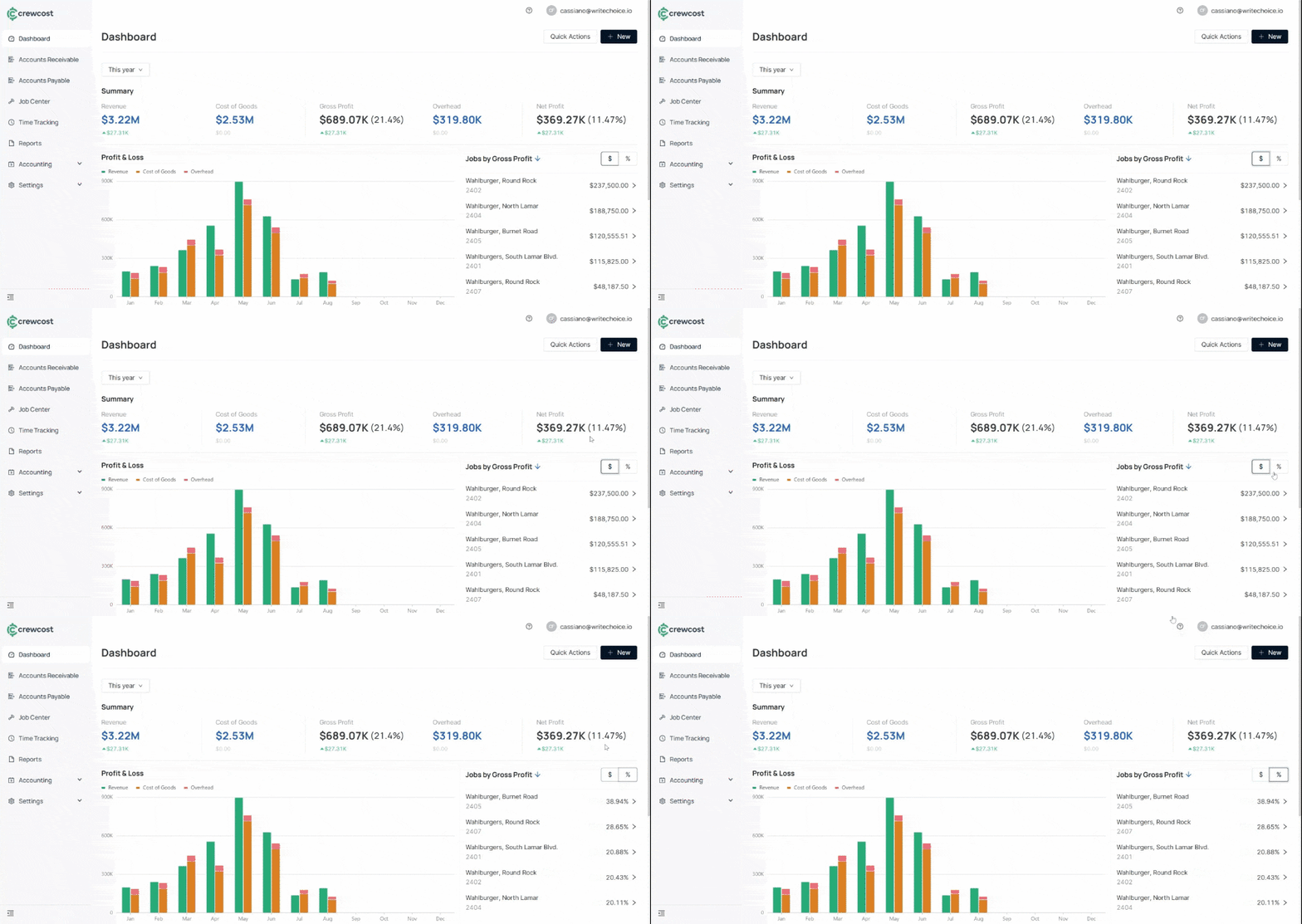
4\. View data by dollar amount ($) or percentage (%) to view jobs by gross profit.
### Features from the Dashboard
The dashboard includes additional features that provide deeper visibility into your financial performance, helping you track trends, monitor key metrics, and make informed decisions:
#### Interactive Profit & Loss Graphics
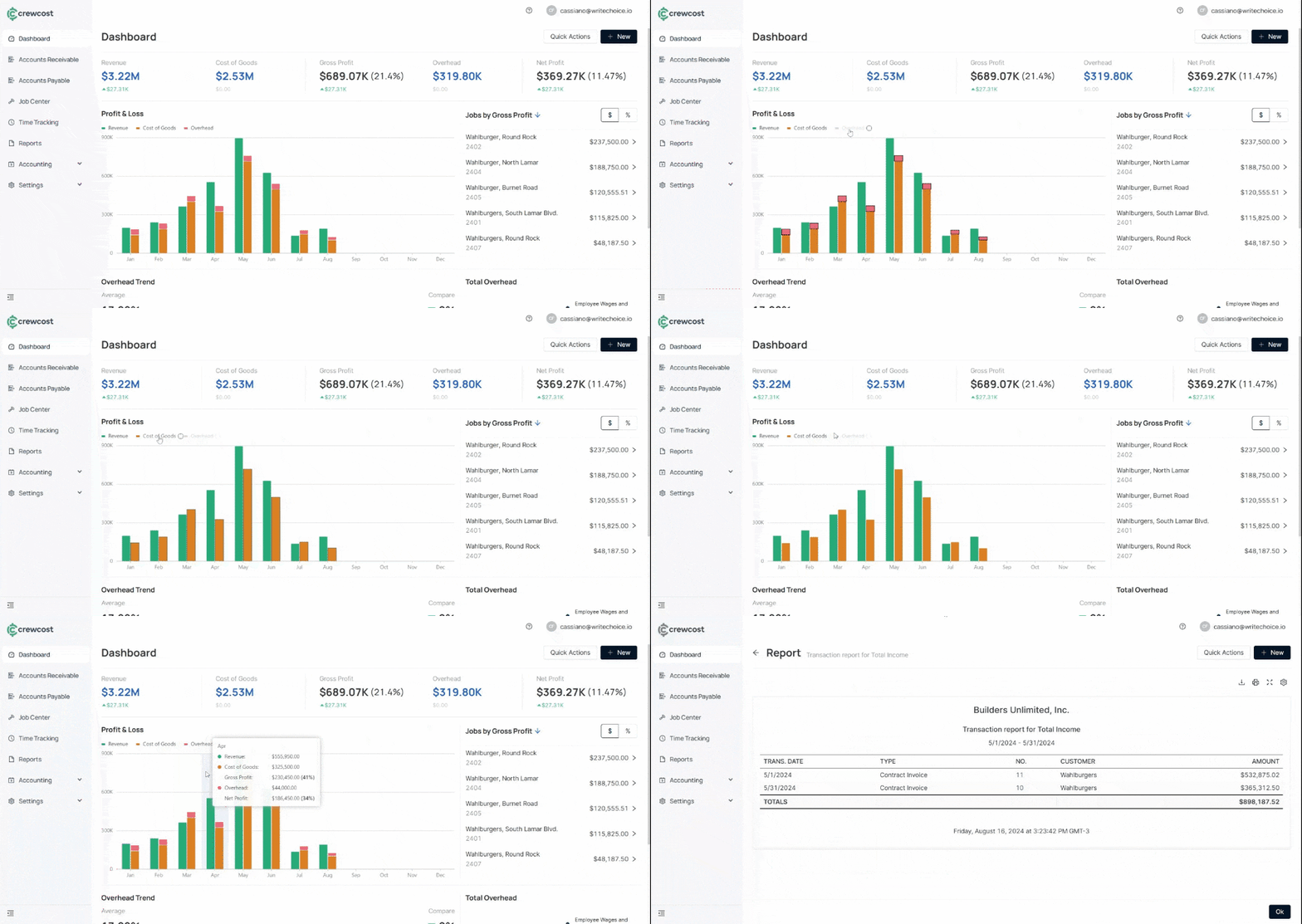
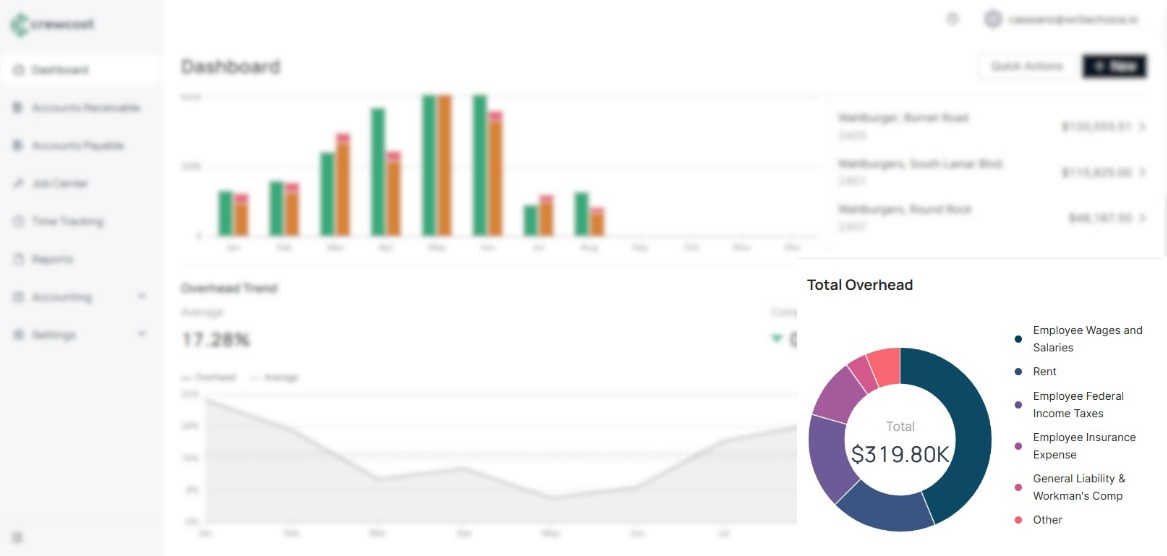
The Profit & Loss graphic shows your Revenue, Cost of Goods Sold (COGS), and Overhead as dollar amounts over time. You can click on it to see more details about specific numbers.
#### Overhead Trend
The **Overhead Trend** section displays the average overhead percentage and the specific overhead percentages. The **Total Overhead** can be broken down into categories such as:
* **Employee Wages and Salaries:** The total compensation paid to employees, including hourly wages, salaries, bonuses, and any other forms of payment for their labor.
* **Rent:** The cost of leasing or renting office space, facilities, or other property used for business operations.
* **Employee Federal Income Taxes:** The amount of federal income tax withheld from employees' paychecks, which the employer is responsible for remitting to the IRS.
* **Employee Insurance Expense:** The cost of providing insurance benefits to employees, such as health, dental, and life insurance.
* **General Liability & Workman's Comp:** Costs associated with insurance policies that protect the business against general liability claims and cover employee injuries that occur on the job.
* **Other:** Other different costs that support your business operations, such as office supplies, utilities, and any other expenses that don't fall into specific categories like rent or wages.
This breakdown of total overhead helps you track your company's financial health across different jobs and time periods, giving you a clear view of how well your business manages resources and costs.
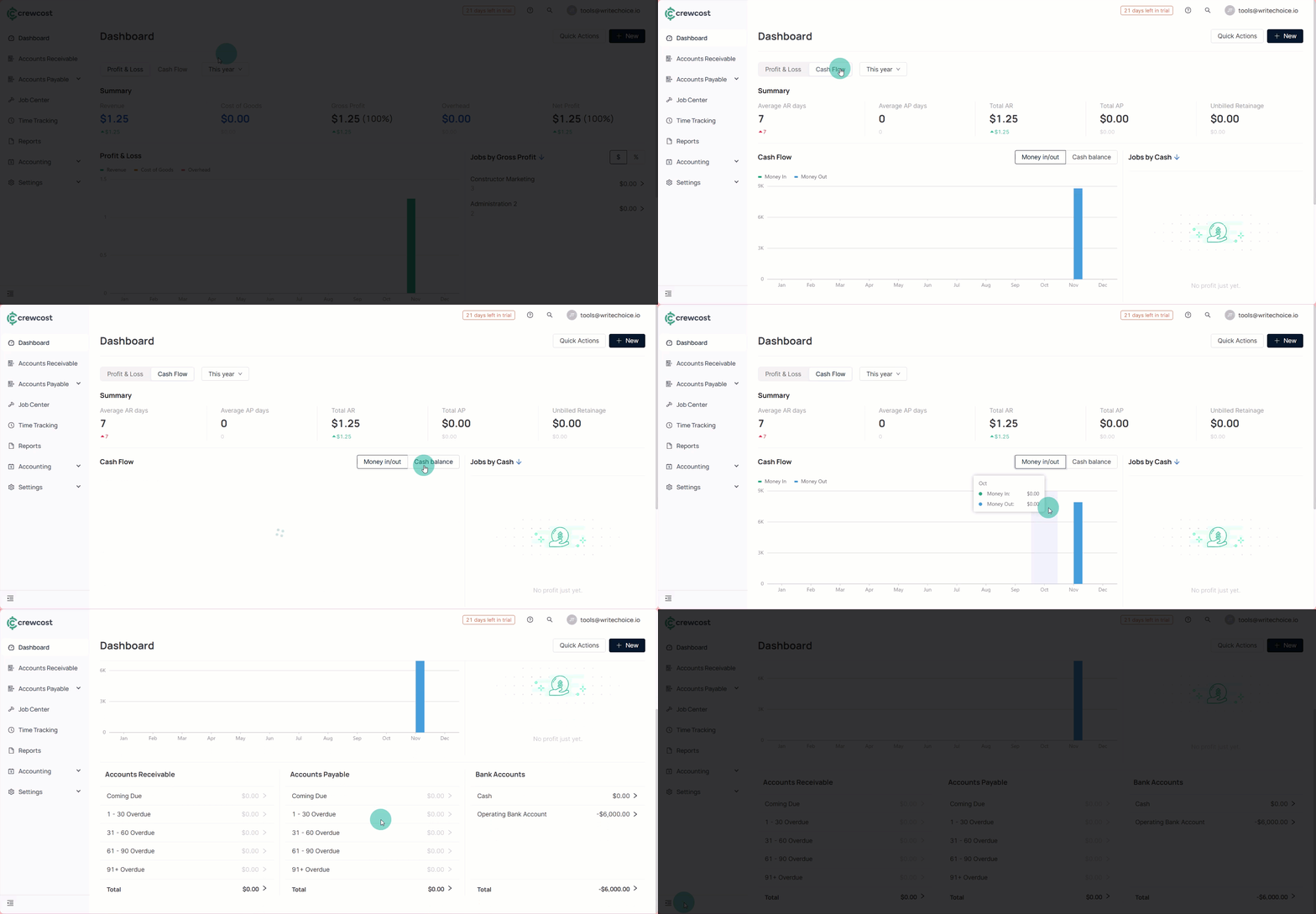
#### Cash Flow-based Views
The dashboard provides cash flow–based views that give users a clear, real-time picture of how money is moving in and out of the business. These views make it easy to understand the organization’s financial position at a glance without running detailed reports. Users can monitor trends, quickly spot potential issues, and make informed decisions based on up-to-date cash activity.
With these tools and insights, you’ll be able to navigate the dashboard with confidence and make more informed financial decisions.
### See also
Keep exploring our platform by taking the next step:
* [Manage your team Overview](/documentation/security-and-team-settings/manage-your-team.md): Instructions for accessing the team management area and reviewing roles.
* [How to Edit an Employee](/documentation/security-and-team-settings/edit-an-employee.md): Step-by-step guide to editing an employee.