> For the complete documentation index, see [llms.txt](https://docs.crewcost.com/llms.txt). Markdown versions of documentation pages are available by appending `.md` to page URLs; this page is available as [Markdown](https://docs.crewcost.com/documentation/daily-workflows/accounts-receivable/create-customers.md).
# Create Customers
Whether adding a single client or importing a large list of customers, these steps will help you set everything up quickly. Additionally, you can create a customer ad hoc or within the context of any relevant menu, such as vendors, jobs, or accounts. This flexibility applies across the platform, enabling you to manage related information easily.
### Create a new customer
To add a new customer:
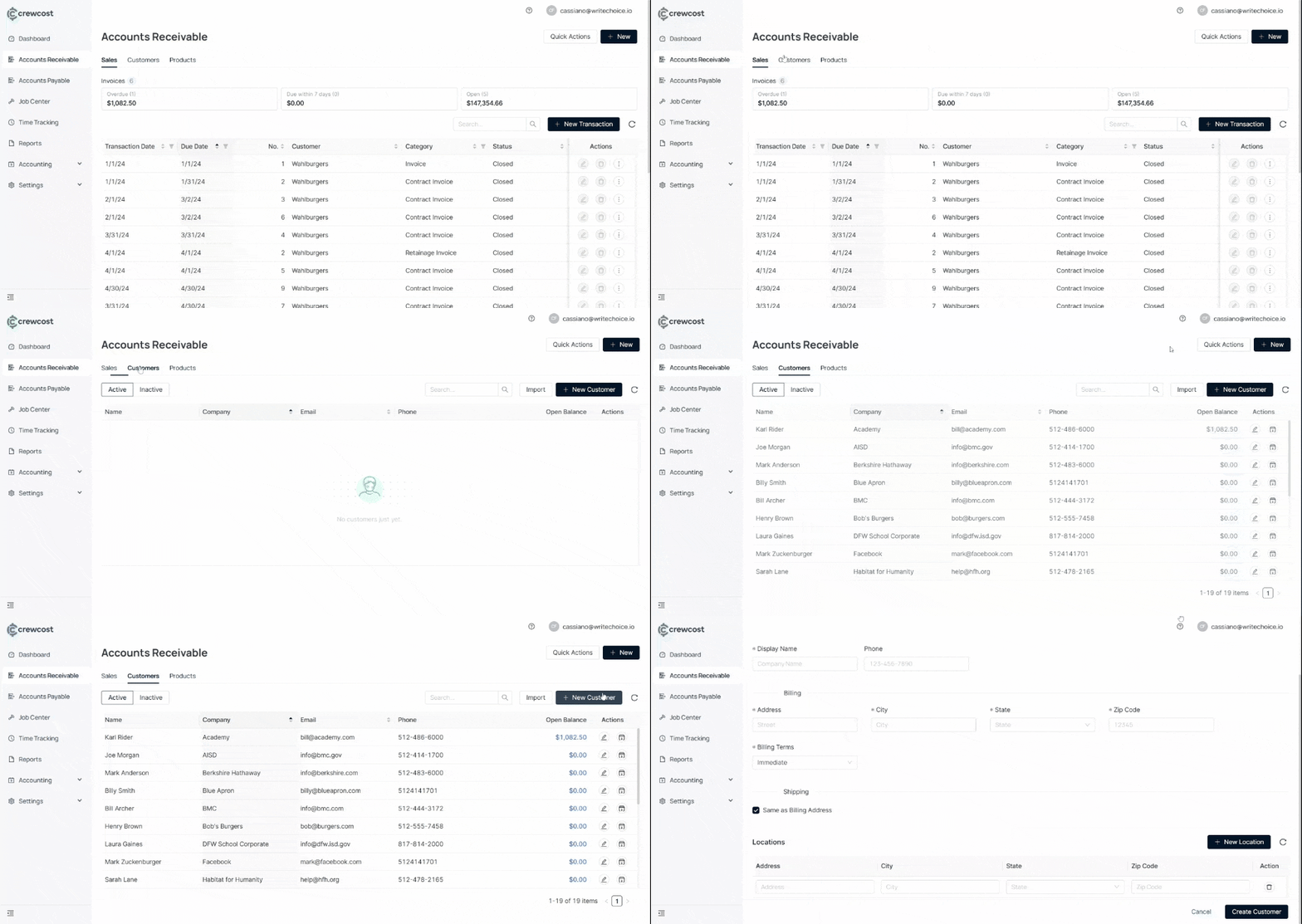
1. Go to the **Accounts Receivable** section in the left menu.
2. Click on **New Customer**.
3\. Enter customer information:
* **First Name**
* **Last Name**
* **Company**
* **Email**
* **Display Name**
* **Phone**
* **Address**
* **City**
* **State**
* **Zip Code**
* **Billing Terms**
* **Immediate**\
Payment is due upon receipt of the invoice.
* **Net 15**\
Payment is due 15 days after the invoice date
* **Net 30**\
Payment is due 30 days after the invoice date.
* **Net 60**\
Payment is due 60 days after the invoice date.
\
4\. (Optional) In **Shipping**, check **Same as Billing Address.**\
5\. (Optional) You can add new locations in **New Location.**
* **Address**
* **City**
* **State**
* **Zip Code**
6\. Select **Create Customer**.
### Import customer data
To import customer data:
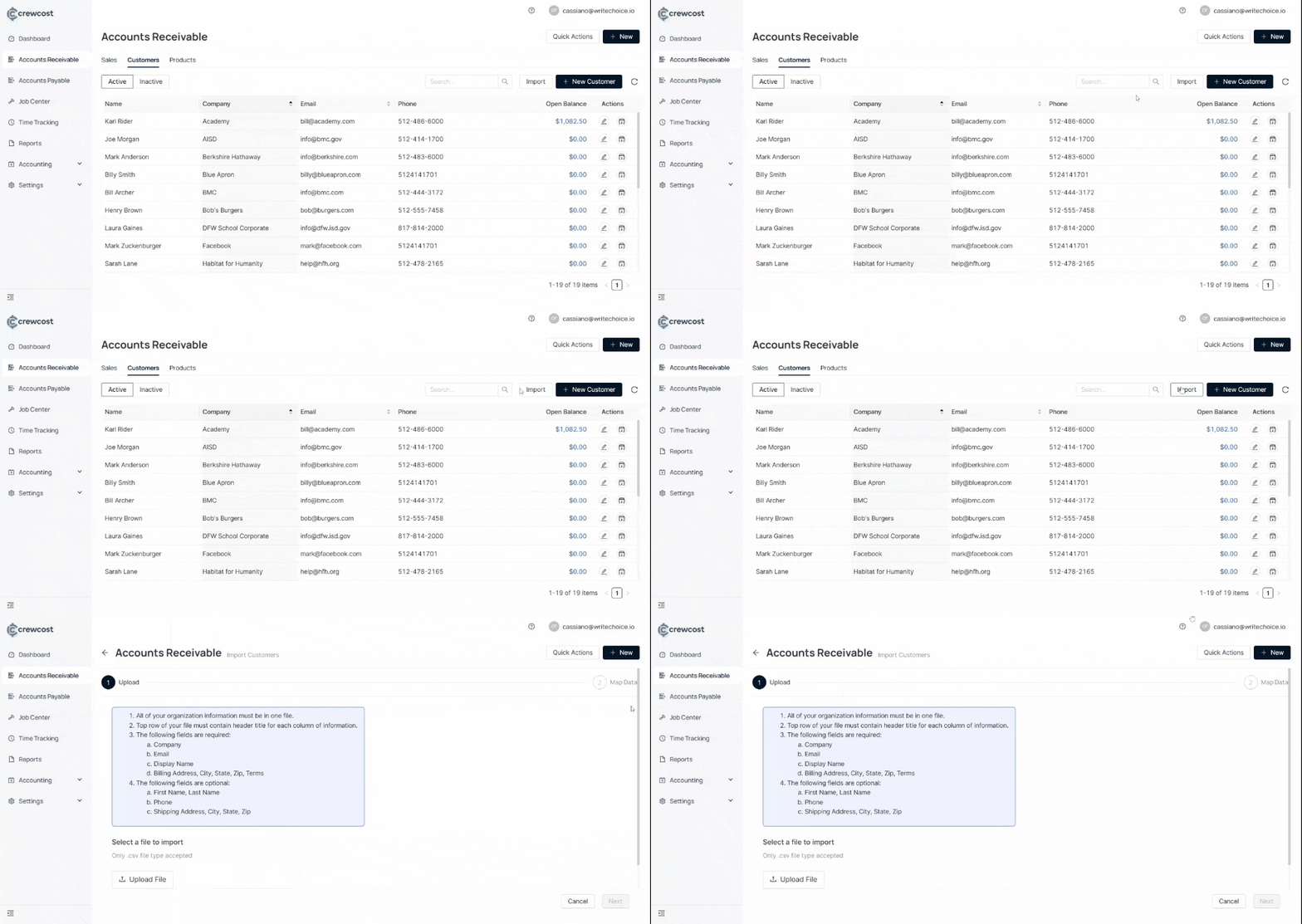
1\. Click on **Import**.\
2\. Download the template file.\
3\. Fill in the template with customer details. **Required fields:**
* Company
* Email
* Display Name
* Address
* Billing Terms
* City
* State
* Zip
* Terms
4. **Insert more optional fields:**
* First Name, Last Name
* Phone
* Shipping Address, City, State, Zip
5. **Select a file to import**
* Only .csv file type is accepted.
* Download a sample file for reference.
6. Upload the completed file.
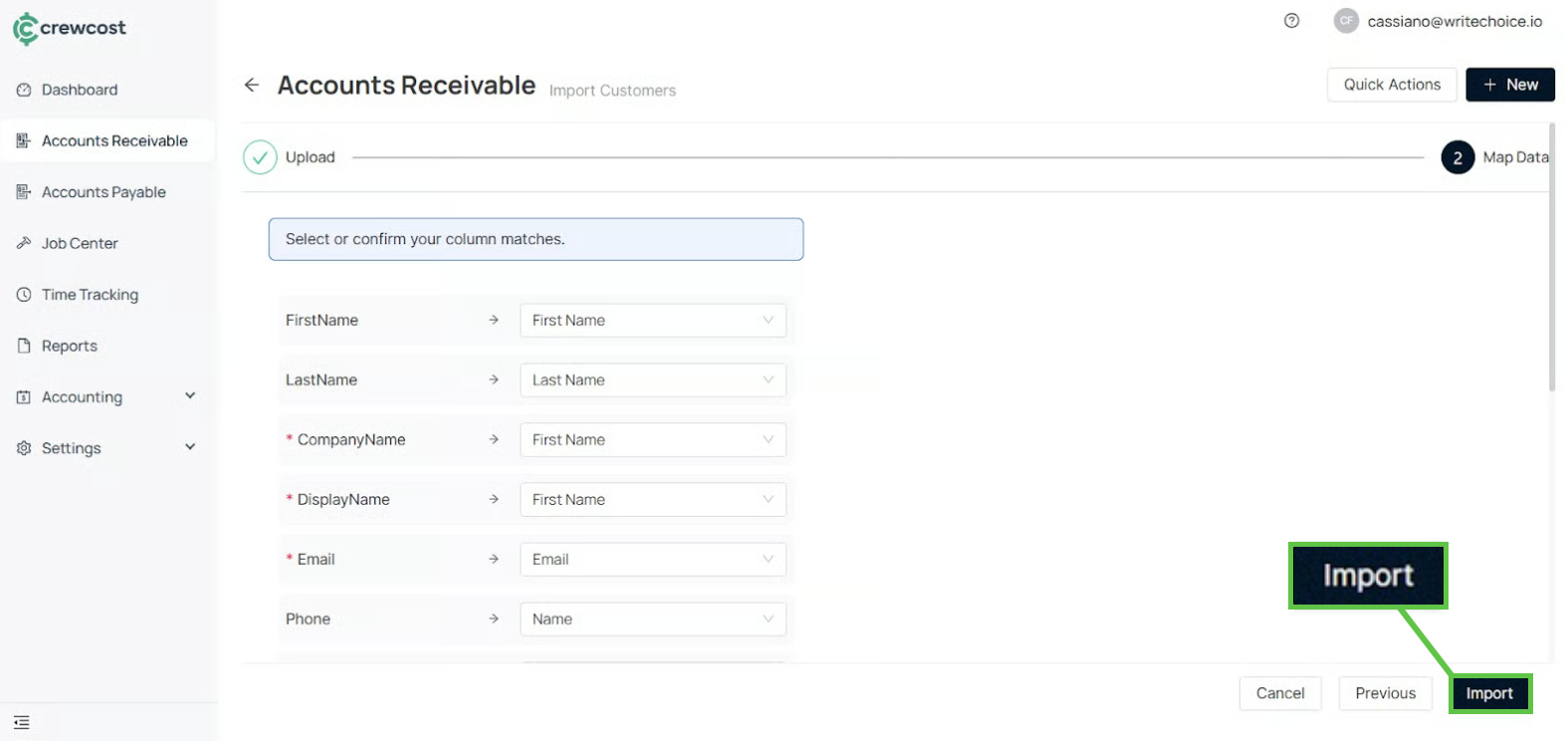
7. Select **Next**. Then, check whether the information matches.
{% hint style="info" %}
**Info:** Optional fields can be left blank when mapping.
{% endhint %}
8. Select **Import** to complete the process.
With your customers added and organized, you’re ready to move forward and streamline the rest of your billing and receivables processes across the platform.
### See also
Keep exploring our platform by taking the next step:
* [Add Products](/documentation/daily-workflows/accounts-receivable/add-products.md): Learn how to create and manage the list of services and products the company offers.
* [Create an Invoice](/documentation/daily-workflows/accounts-receivable/create-an-invoice.md): How to generate customer invoices, assign them to jobs, and send them for payment. Covers progress billing, fixed-fee billing, and retainage when applicable.