> For the complete documentation index, see [llms.txt](https://docs.crewcost.com/llms.txt). Markdown versions of documentation pages are available by appending `.md` to page URLs; this page is available as [Markdown](https://docs.crewcost.com/documentation/daily-workflows/accounts-payable/add-a-payment.md).
# Add a Payment
Keep your project finances organized by logging payments with specific vendor and transaction details for real-time tracking and accuracy. When adding a payment, you can select the vendor, payment method, and transaction details, ensuring all payments are accurately recorded.
To add a new payment:
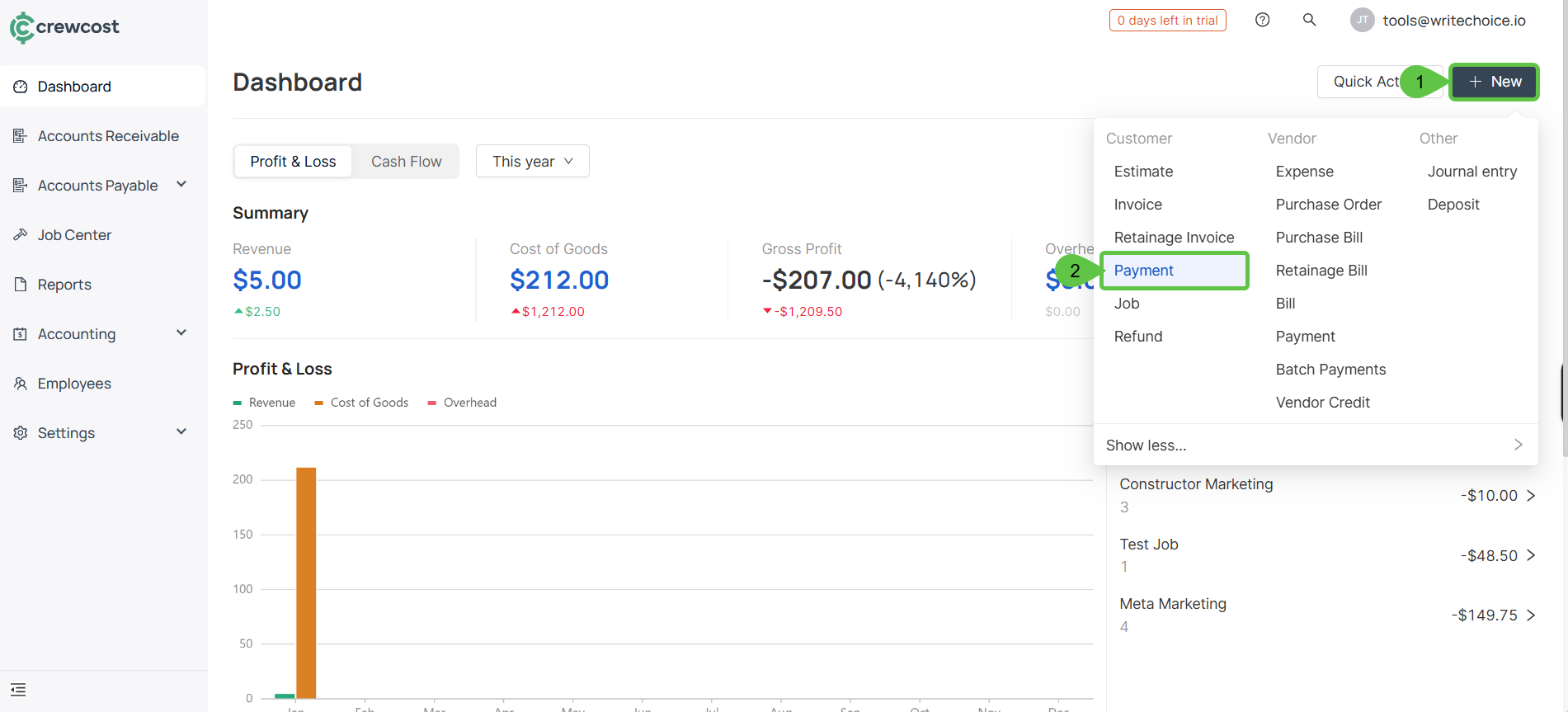
1. Select **+ New > Payment**.
2. In **Essentials**, fill in the following fields to record the transaction details:
* **Customer:** The client associated with the payment or transaction. This identifies who the payment is related to and ensures accurate customer records.
* **Transaction Date:** The date on which the transaction takes place. This date determines when the transaction is recognized in your records.
* **Posting Period:** The accounting period in which the transaction is recorded, such as a specific month or year. This ensures the transaction is included in the correct financial reports.
* **No.:** A unique reference number assigned to the transaction. This helps with tracking, reconciliation, and auditing purposes.
* **Payment Method:** The method used to complete the payment, such as bank transfer, check, or another supported option.
* **To Account:** The account where the payment will be deposited or applied. This defines where the funds are recorded within your financial system.
* **Amount:** The total value of the transaction. This represents the exact amount being paid or recorded.
3. In the **Details** section, you will need to include the following information:
* **Transaction Date**: The date on which the transaction occurs. This is important for maintaining accurate records and ensuring that the transaction is logged in the correct accounting period.
* **Posting Period**: The specific accounting period (e.g., a month or quarter) during which the transaction is recorded. This helps with financial reporting and ensures that all transactions are categorized correctly in the appropriate time frame.
* **Number**: A unique reference number for the transaction. This could be an invoice number, a check number, or any other identifier that helps track and audit the transaction.
* **Payment Method**:
* **Direct Deposit**: An electronic payment method where funds are transferred directly to the vendor's bank account.
* **Paper Check**: A traditional payment method where a physical check is issued to the vendor.
* **Record Only**: Used when the transaction is recorded for tracking purposes but does not involve an actual payment at that time.
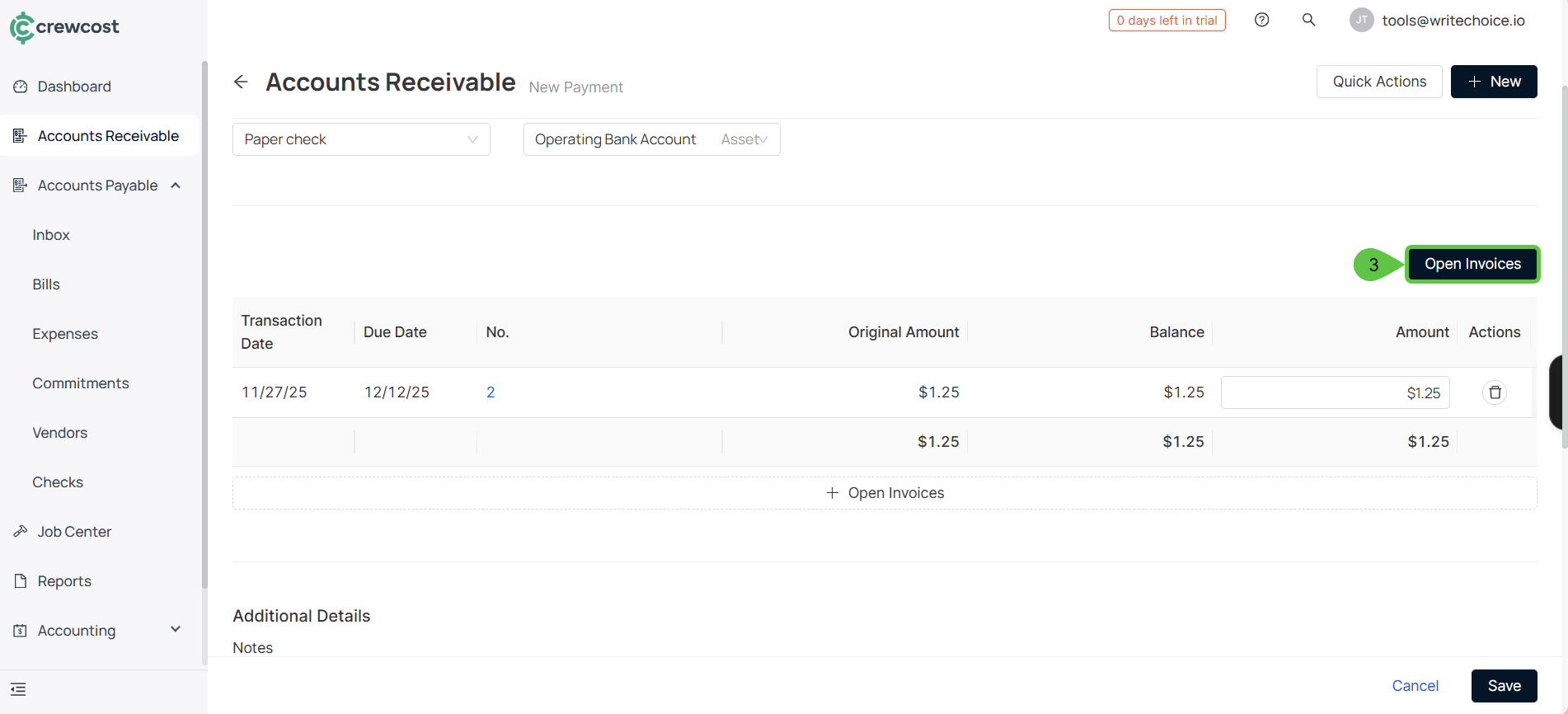
4. Select **Open Invoices.**
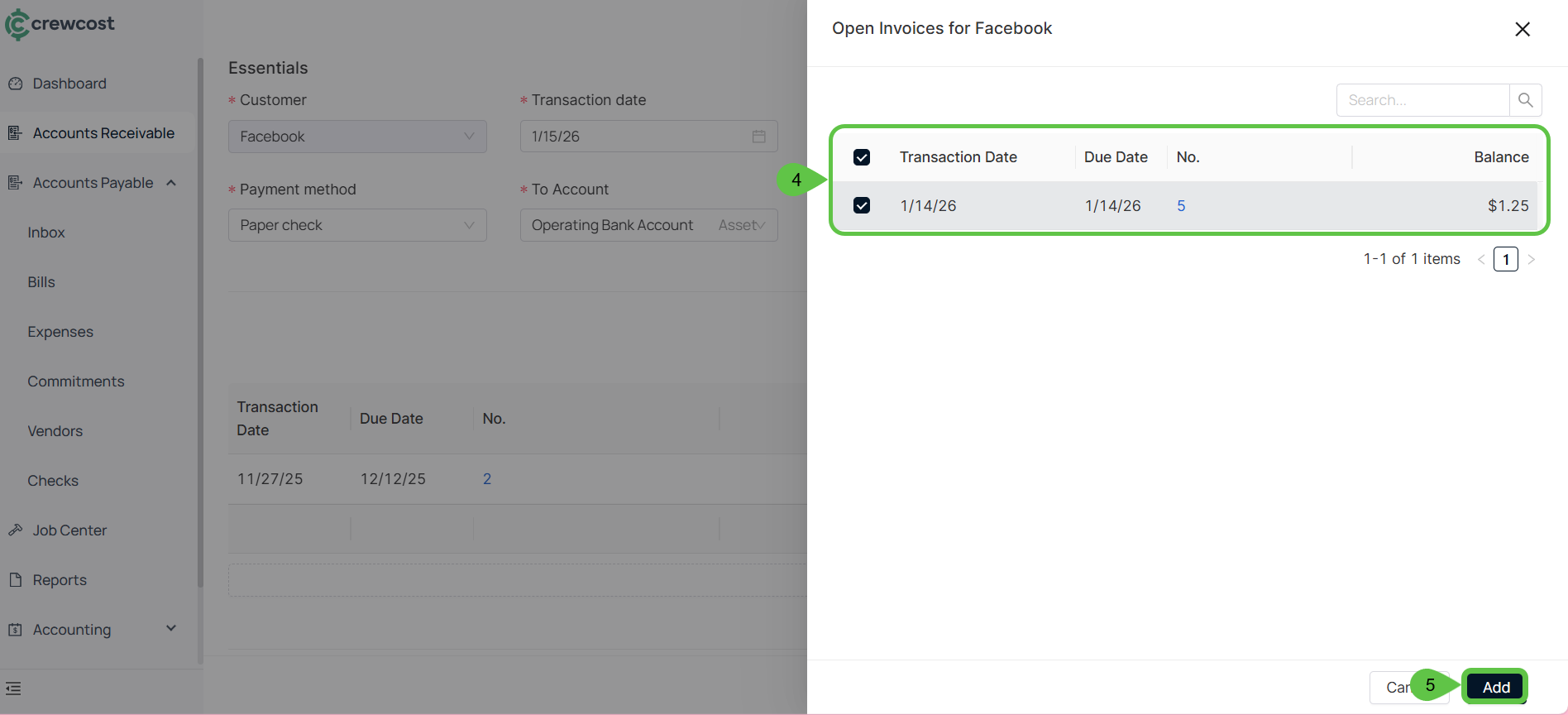
5. Choose invoices. Then, select **Add**.
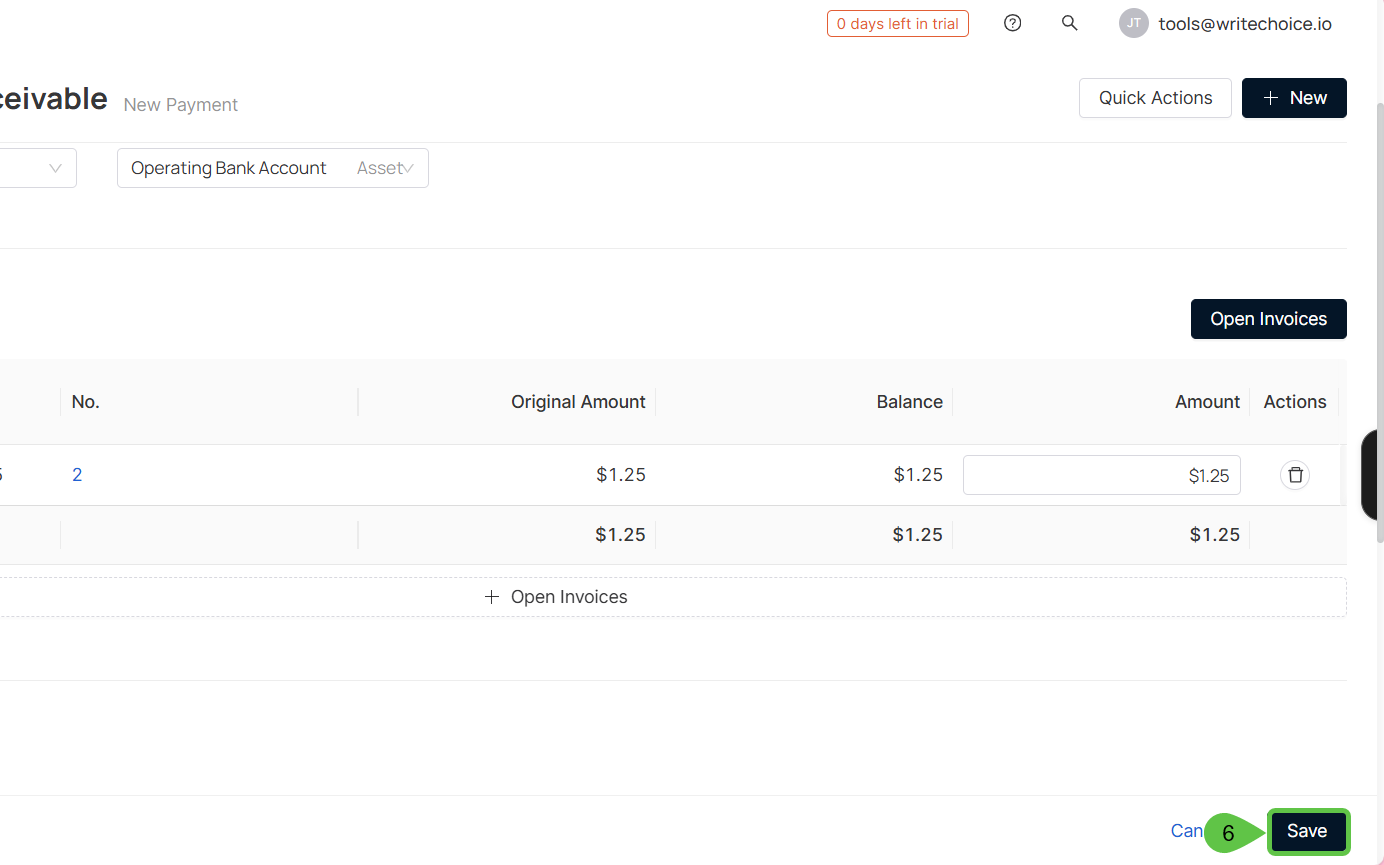
6. Select **Save** to complete the process.
By following these steps, you ensure that all vendor payments are accurately recorded, credits are properly applied, and your financial records remain clear, consistent, and ready for reporting.
### See also
Keep exploring our platform by taking the next step:
* [Add Batch Payments](/documentation/daily-workflows/accounts-payable/add-batch-payments.md): Learn how to create and process multiple vendor payments at once, saving time and ensuring consistency.
* [Add a Purchase Invoice](/documentation/daily-workflows/accounts-payable/add-a-purchase-invoice.md): Discover how to record vendor invoices correctly so expenses, balances, and due dates are tracked accurately.