> For the complete documentation index, see [llms.txt](https://docs.crewcost.com/llms.txt). Markdown versions of documentation pages are available by appending `.md` to page URLs; this page is available as [Markdown](https://docs.crewcost.com/documentation/daily-workflows/accounts-payable/add-a-purchase-invoice.md).
# Add a Purchase Invoice
Creating a purchase invoice allows you to record and track the financial obligation to a vendor for services or products received. It ensures all expenses are accounted for before making payments.
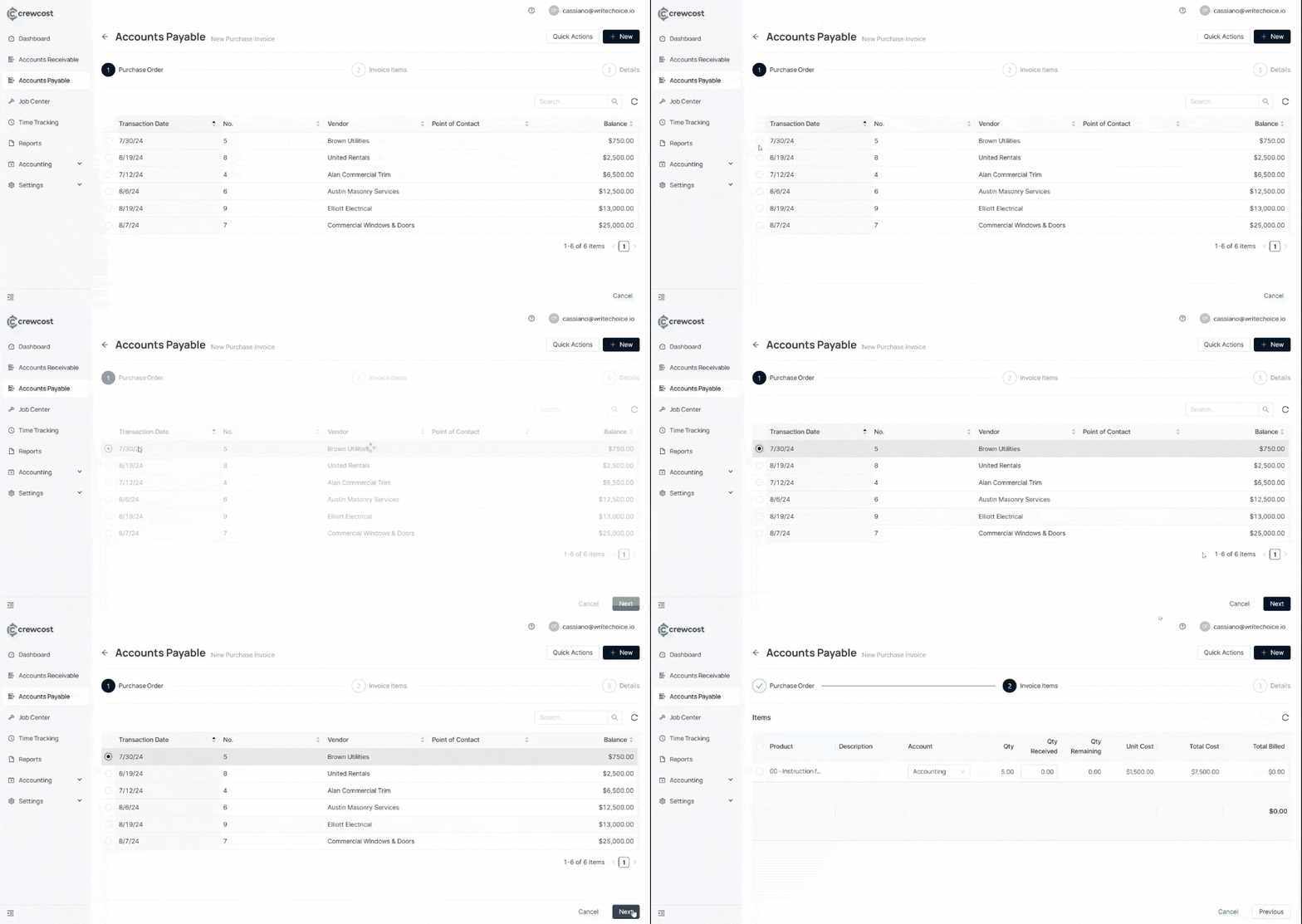
To add a new purchase invoice:
1. Go to **Accounts Payable**.
2. Select **New Expanse**. Then, click on **Purchase Invoice.**
3. In **Purchase Order**, select the **Transaction Date** of your preference. Then, select **Next**.
4. In the **Invoice Items** section, choose the products you want to include.
{% hint style="info" %}
You can also select a different account or adjust the quantity received as needed
{% endhint %}
5. Select **Next**.
6. Confirm the details. Then, select **Save** to complete the process.
Your purchase invoice is now recorded, helping you keep vendor obligations organized and up to date.
### See also
Keep exploring our platform by taking the next step:
* [Add a Retainage Invoice](/documentation/daily-workflows/accounts-receivable/add-a-retainage-invoice.md): Instructions for processing and recording retainage amounts withheld from vendors.
* [Automated Bill Entry using the OCR Engine](/documentation/daily-workflows/accounts-payable/automated-bill-entry-using-the-ocr-engine.md): Learn how to use the drag-and-drop functionality for bills and leverage the OCR engine for automatic coding and entry.